Interactivated logo

Interactivated Growth Lab:
Tech, Design & Business Insights

Explore our expert articles on scaling startups, product development, digital transformation, and cutting-edge technologies reshaping industries

Interactivated solutions blog banner

How to Choose the Best Pricing Model for Your App

You’ve spent the past few months designing your app, building it, and polishing it to perfection.

Now comes the most challenging part of your task: releasing the app to popular online stores and getting as many people as possible to download it and use it. This is where the pricing model comes into play. If you get this part right, you’ll have earned the right to call your app a success.

What Is a Pricing Model?

First and foremost, a pricing model is a way to monetize your efforts and establish a steady stream of revenue for yourself or your company. As you’ll learn in this article, there are multiple ways to make your app profitable. Furthermore, a good pricing model can help you boost your brand’s reputation and build a strong and loyal customer base.

There are four different pricing models currently used by different app makers. Some apps are free, whereas others utilize one of the three remaining models: freemium, paid, and paidmium. In this article, we’ll take a closer look at each of these pricing models and explain what they are and what types of businesses they’re designed for.

1.    Free Model

Releasing the app to popular online stores and getting as many people as possible to download it and use it.


It’s hard to resist anything that’s free, so it shouldn’t come as a surprise that the mobile apps utilizing the free model are also the most popular ones. If we take a look at two most popular mobile app stores, we’ll see that they’re also in the majority. As of this writing, about 87% of apps on Google Play Store and 90% on iTunes are free.

As the name of this model clearly suggests, there’s no direct payment here. Users can download your app and use the fully functional version with all the additional features completely free of charge. In financial terms, this means that you’re not earning any money from the sales of your app or extra features. But this alone doesn’t mean that your free app can’t bring in revenue.

If your app proves popular enough – and you’re surely improving its chances by making it free – you can sell advertizing space within the app. The more popular your app is, the more money you can get from ads. In order not to alienate your users, you have to find a way to insert ads and banners without them being too obtrusive or compromising the user experience. Ideally, the ads you show should be targeted at your users and somehow be related to the particular service(s) your app provides.

Free model is great for businesses such as food delivery, taxi companies, or online stores that are looking to offer a more convenient way for customers to use their services. It’s also good for first-time mobile app developers that are new to the market and want to build a strong word of mouth. There’s an additional upside to the free model. Namely, users are more likely to rate them and provide feedback, which you can use to further improve your product and remove any bugs that you may have overlooked.

2.    Freemium Model


Releasing the app to popular online stores and getting as many people as possible to download it and use it.

Freemium apps are free to download, but free users are only given access to certain basic features. If they want full functionality and all the added bells and whistles, they’ll have to pay either a one-time fee or a periodical (usually monthly) subscription fee.

Most industry experts consider this the best model for app makers – and for a reason. With a freemium app, you get two sources of revenue. On the one hand, there’s the subscription fee money. At the same time, you can sell advertizing space and show relevant banners ads to your non-paying users.

The tricky thing about this model is finding the right balance between the free and paid features. You have to make the free version useful enough for people to download it in the first place, but also ensure that the paid features are enticing enough for them to upgrade to the paid model.

There are also different ways to utilize this model. If you’re offering a free download of a mobile game, you can limit the number of rounds free users can play. Some music streaming services also rely on the freemium model. Spotify is an excellent example: free users can’t download their music for offline listening and are only allowed to shuffle playlists instead of choosing a song they want to play.

3.    Paid and Paidmium Models

Releasing the app to popular online stores and getting as many people as possible to download it and use it.

There are two main differences between these models and the two we’ve highlighted above. First, in order to download them and try them out, users must pay your asking price. Second, you can’t show adds within the app, which means that you’re limiting yourself to only one revenue stream.

With paid apps, users only pay the price when they first download it. In return, they get a fully functional app without any additional features locked behind a pay wall. Paidmium apps, on the other hand, do require additional in-app purchases to unlock certain bonus features.

Both of these models are most commonly used by mobile game developers. Some of them ask users to pay an extra fee to move on to the next level. Similarly, different learning apps utilize the paidmium model. The users are initially given a certain set of basic skills to master. If they want to continue, they have the option to pay a small fee to access a more advanced course.

In order for a paid or paidmium app to be successful, it must provide something of value to its users. If other free apps already offer similar services, you need to one up them. Another important thing is the price point. A symbolic download charge is good for starters. If your product is perfectly designed, extremely user-friendly, and free of bugs, you can charge more, as long as it’s reasonable.

Which Model Should I Go For?

Among other things, your choice of a pricing model will depend on how well-established your brand is, how much money you’re expecting to earn, and how high a demand there is for the services your app provides.

Seeing as the price point can pretty much make or break your app, it’s best to start with either free or freemium model. Once you’ve established strong brand recognition and amassed loyal clients, you can consider moving to one of the paid models.

If you’re still unsure about the right pricing model, feel free to contact us. Our team of experts will help you make the right choice for your app to thrive in the marketplace.

August 19, 2017
Interactivated solutions blog banner

How to Use a Mobile App as a Brand Marketing Channel

Looking for a powerful new way to promote your brand? Without annoying ads or the high expenses of traditional marketing? A well-developed mobile app that keeps users engaged is just what you need.

With a mobile app, you can do a host of things that can have a big impact on your marketing:
    You can establish a deeper connection with customers and prospects, keeping them engaged for longer compared to your site or social media pages.
    You can share with them offers and promotions in a persuasive way and enjoy higher conversion rates.
    You can build a community of fans that spread the word about you even when they're not using your app.

Most people today have their phones close wherever they go. That means you can reach your audience through an app at almost any time. The same can't be said about other digital marketing channels, which are limited by the restricted availability of the devices they rely on -- think of computers, TVs, or radios.

So how exactly can you use an app as a marketing channel for your brand? It's not enough to create an app and get it accepted on the App Store or Google Play. Here's what you have to do.

Develop the Right App

Your app has to reflect the key features your target audience wants. It won’t become a marketing channel if it doesn't bring users features that they constantly need to go back to. With the wealth of apps available today, your app really needs to provide value.

Broadly speaking, there are four types of apps you can develop: engagement apps, productivity apps, commerce apps, and apps that combine two or more of these features.

Do you know your audience? What are the features that they want the most in an app in your category?

These are the features you need to implement. Not only that, but your app must be easy to use. If you don't have an in-house app development team, this calls for a professional app developer.

Personalized Content

A well-developed mobile app that keeps users engaged is just what you need.

Engagement is crucial for turning your app into a marketing platform. If users aren't compelled to keep their app on their device and use it regularly, you won't reach them.

The single most effective way to engage your mobile app users is to bring them fresh personalized content regularly. Take into account hot trends and topics, big news in your market, and seasonal content. User preferences change, and you need to keep up with them.

Regardless of the type of app you have, invest in personalized in-app content. Draw on your customer personas to better understand what type of content works best for your audience.

Push Notifications

Push notifications are like little tugs of the sleeve. They have the power to make people stop and check out what's new in your app.

Push notifications work if your app's content is awesome. If your app can’t generate engagement, you have no excuse to send push notifications.

Make push notifications compelling. Every push notification should offer something valuable, whether it's a piece of content, a promotion, or some other perk. If possible, consider segmenting push notifications based on customer’s data. Also, don't send them too often.

Make It Social

Your app marketing should be closely tied to your social media marketing. Going a step further, you also want to encourage the formation of a community around your app.

Ideally, you want to do this within the app, by implementing user profiles and a messaging / chat system. You can also do it through Facebook groups or user forums on your website.

Provide in-app incentives for users to socialize with other users, such as bonus points or in-app items or rewards. If your app users feel that they are a part of a community, they will use your app more.

They will also be less likely to forget about it.

Track User Behavior

With a mobile app, you can track user behavior with relative ease using power app analytics like
Inapptics or AppAnalytics. You can discover personal shopping behaviors, locations, engagement levels, favorite hours, browsing habits, and much more.

How much you can track depends on the type of app you build and the permissions it requires. The wealth of data you get helps not only inform your app development course but your general marketing strategy.

Loyalty Rewards

A well-developed mobile app that keeps users engaged is just what you need.

Rewarding frequent customers still is a winning marketing strategy. It doesn't only make recipients feel good but also increases the chances that they'll share your brand. You can easily implement it into your app using push notifications or in-app news or messages.

Loyalty rewards are more than the rewards themselves. They're about establishing a stronger connection to users. That's why you want to make them memorable. Think of something more creative than simple discounts or special offers.

Get the Pricing Right

Will your app be free, freemium, paid, or paidmium? Freemium means the app is free to download but users have to pay for premium features or subscriptions. If you have confidence in the value of your features, this can be a good pricing model.

Paidmium apps, on the other hand, require users to pay for the download and possibly for other content and features as well. While there are exceptions, paidmium apps aren't the ideal choice for turning your app into a paid marketing channel. You want to get maximum exposure for your app, and making it free to download helps with that.

In the end, don't forget that building a mobile app for iOS or Google Play is only the first step to using it as a marketing channel. You also need to market the app itself.

Use a combination of content marketing, social media marketing, and ads to get your app before as many eyes as possible. Don't forget about authoritative review sites and press releases - both can bring you more exposure.

Need help turning your mobile app into an effective brand marketing channel? You can always count on our team of seasoned app developers and marketers. Get in touch with us to learn more.
August 17, 2017
Interactivated solutions blog banner

How to Get Your Minimum Viable Product Right

The rise of Agile development has led to the creation of several concepts. One of those is the Minimum Viable Product (MVP). You may have heard the term used in several contexts before. It’s crucial that you understand it when working on a software development project. Selecting the right MVP will often play a huge part in the future success of your software.

So, how do you do that? That’s what we aim to look at in this article. Before we get started, let’s find out exactly what MVP means.

What is the Minimum Viable Product?

The MVP is the minimum product that you can put out that will both satisfy consumers’ immediate needs and allow you to get feedback so you can develop the product further. That’s why it has become so important in Agile development.

Let’s say you’re creating a subscription service. You have a laundry list of features you want to add. Unfortunately, the cost of getting them all out in one go holds you back. That’s where MVP can come into play. You can define the minimum features your software needs to have to pull in users. From there, you can develop around the MVP and have something in your users’ hands far faster than if you tried to develop it all in one go. This creates an income stream and useful feedback for when you implement the rest of the features.

MVP offers startups with limited resources the opportunity to capitalize on market opportunities quickly. Of course, you need to choose well when releasing your MVP. After all, a software with no useful features will fall by the wayside before you ever get the chance to develop it further.

Finding Your MVP

So how do you define your MVP? That’s the million dollar question. MVP means different things to different businesses. The link is that the MVP is what allows you to get the software out there in a usable state so that it keeps consumers satisfied and has room to grow. This means you need to consider all of the following when determining your MVP.

How Big is Your Idea? Big ideas take a lot of work to bring to life. The more time you take, the more likely it is that a competitor will get into the market before you. When defining the MVP of your idea you need to figure out the basic building blocks of that idea. What features can you implement now to get it off the ground? What does it actually need to function properly?

Answer those two questions and you have the features that will make up your MVP. Your idea may be much larger in scale. That’s okay. You can develop other features over time. The point of MVP is to get the idea out there in a usable state so you can show the potential of the software.

A good idea is to sit down and write out the software’s top three features. This gives you a baseline to work from. Focus on getting those three features into your MVP and then build from there.

The Target Audience Your audience will play a huge role in defining your MVP. You need to take a range of factors into consideration. These include age and gender. The additional market research will help you determine the need for your product and how much people may pay for it.

Why is this important to the MVP? The answer is that it helps you figure out what your audience expects for the money they pay. Younger audiences may look for mobile readiness, for example. Older audiences may focus more on functionality over flash. Your research will define what MVP means in the eyes of your target audience. You need to reach this base level of functionality or your audience will migrate to other products.

Marketing When you know your target audience, you can create a relevant marketing strategy. Explaining the concept is key when releasing an MVP. You need to help audiences understand what the product does right now and what it will be able to do in the future.

Many companies use short videos to show their MVP products off. They walk users through the features and build upon the base idea over the course of the explanation. You can also use website landing pages to explain the idea in more detail. The most important thing is that you advertise what the software has to offer right now so potential users know why they need it.

The Cost of Release Offering any product to the public comes at a cost. That’s where the concept of MVP comes in handy again. A well-selected MVP allows you to handle the costs of release and delivery.

That means you need to understand the costs related to your software. How much will you spend to get a feature added? Is that feature worth the cost right now? If the answer to the second question is “no”, you can get rid of that feature from your MVP.

Figure out your maximum budget for the initial release and work towards that. Focus your efforts around the three key features we mentioned earlier, else you’ll end up with a software full of half-finished features because you ran out of cash during development.

How Can You Benefit from the MVP?

Releasing an MVP product comes with several benefits beyond initial uptake and feedback.

Potential Funding Many startups struggle to acquire funding, often because they don’t have a software to showcase. With an MVP, you have something to show off. Better yet, if that MVP acquires users organically you have a new asset. You can show potential funders that your software fills a need in the target market, which can help secure the money you need to keep developing.

Validation The rise of Agile development has led to the creation of several concepts.

Uncertainty accompanies any new software release. Even with tons of research to back you up, you can never be fully certain that the software will engage users. A successful MVP will show you who gravitates to the software and wants to use it. This offers validation, which can boost confidence in later updates and prove helpful in proving the viability of your concept.

Audience Information An MVP will help you figure out more about your audience. Does the user profile match your research? What features do people want to see? How can you adjust the software to cater for people who actually use it? These are all questions you may struggle to answer during initial development. An MVP will offer more solid answers for you to work from.

Building the Brand Consumers have access to tons of information thanks to the internet. That makes building a strong brand more important than ever. An MVP helps you establish a brand identity and get people talking about you. From there, every new update or release can create a buzz around the brand. Your first users are also the most enthusiastic. If you have something special, they will get the word out for you.

The Final Word

The release of a good Minimum Viable Product can make a huge difference to a budding venture. We hope you understand the concept a little more after reading this article. Interactivated can help if you need more information or are hoping to release a software to the public in the near future.
August 10, 2017
Interactivated solutions blog banner

The Benefits of an Interactive Prototype and When You Need One

Software development takes place over several stages. Many consider the development stage itself to be the most important. However, poor planning and design work can scupper a project once it reaches the development stages.

Prototyping makes up an important part of the design process. It’s a way for developers to give clients a glimpse of how a software will look in action. An interactive prototype comes with many benefits. Let’s look at what a prototype actually is before we look at those benefits.

What is an Interactive Prototype?

A prototype can mean different things to different people. Generally, prototypes offer a simulation of how a piece of software will work once developed. The goal is to iron out any design issues so the development process can go ahead without any problems. They allow for the early identification of issues regarding usability. Further, a prototype offers clients a tangible view of what the product they’re paying for will eventually look like.

What constitutes a prototype differs depending on the nature of the project. At the most basic, a prototype could consist of a storyboard that shows how a user would navigate through a piece of software. Many call these “paper prototypes”.

Interactive prototypes have an added layer of complexity. These will show the software in barebones states. The interactive prototype will have none of the software’s intended functionality. However, it will have the basic design structure in place and help clients see how the software will work at the basic level.

For example, a mobile app developer may create an interactive prototype. It will likely allow the client to navigate through the app via a smartphone. The app will not be in a usable state, but the prototype will simulate how an app user would actually the app.

The Benefits

Interactive prototypes offer several benefits over paper prototypes. Let’s take a look at some of them.

Interactivity The interactivity such prototypes offer is an advantage unto itself. Users can see how the software environment operates at the basic level and can immediately highlight any issues they have. Interactivity benefits developers as well. Watching the user or client interact with the prototype offers clues regarding its usability. Developers can take this information away and iron out any issues before development work beings in earnest.

Showing the Navigational Flow A major disadvantage of paper prototypes is that they require the client to visualize how a software will operate. All the developer can do is guide the client through the design. This tends to raise a lot of questions. Interactive prototypes do away with this issue altogether. They offer clients the opportunity to experience the full flow of the software. They can navigate at will and thus provide more detailed feedback. This feedback will have the context of a working environment wrapped around it. It won't get hampered due to clients having to visualize the software.

Reducing the Development Time Interactive prototypes should help the developers find issues ahead of time. Assuming the prototype is of a high enough quality, it will save a substantial amount of time in the development process. Fixing issues early is far preferable to running into them later on when there is a lot of code to consider with every bug fix.

Flexibility A developer can choose to present several interactive prototypes over the course of the design stage. For example, the developer could present a client with interactive prototypes for each section of an app of software. This shows the client the progress made thus far and creates a framework that the developer can bring together as a final prototype. Of course, developers can also choose to develop a full interactive prototype. The key is that there is some choice.

Less Complexity The less interactive the prototype, the more time the developer must spend on explaining functionality to the client. If the client can’t see the prototype in action, a developer must provide documentation to explain what happens at each stage of the prototype. This wastes more of the developer’s time. Further, many clients will balk at the idea of reading pages of documentation while referring to a bunch of paper prototypes. Interactive prototypes make things simpler for clients. This allows projects to flow smoother Reference Tools As project proceeds, developers will often reference the prototype to ensure they remain on the right track. It is much easier to do this with an interactive prototype than it is a paper one. Interactivity shows the intended actions for buttons, widgets, and the like. A developer can get instant answers to questions instead of poring through reams of specifications to find what they’re looking for.

Enhancing Uptake Key stakeholders want to see progress in a project. If they don’t see anything getting produced, they may start to lose faith. This can even be the case when work is actually going well. An interactive prototype offers an early display of what the software will grow to be. You should not underestimate the importance of this in regards to maintaining stakeholder interest. Interactive prototypes serve as tangible results of work. From this, developers and stakeholders can decide their next steps.

When Do You Need Interactive Prototypes?

The temptation is to say that all software, website, and mobile app development projects should use interactive prototypes. However, that isn’t the case. The simplest projects may take more time if developers create fully interactive prototypes. A five-page website, for example, doesn’t require much navigation. Clients and developers can visualize how they will work easily. This makes paper prototyping a better option.

Interactive prototypes become much more valuable as a project becomes more complex. For example, a website or app that features submenus underneath main menu items will benefit from interactive prototypes. The same goes for most enterprise software or anything that the client hopes to release commercially.

The simple rule of thumb is that interactive prototypes show their value if the intended software has a lot of moving parts.

The Final Word

An interactive prototype can save a lot of time when used in the correct circumstances. They help developers gain greater understanding of a project and identify design issues early on. Further, they help build the confidence of clients as they offer a tangible view of what the software will eventually offer.
August 8, 2017
Interactivated solutions blog banner

10 Reasons to Build a Magento Webstore in 2017

Webstore owners have a lot of options to choose from when building their websites. The choice of content management system (CMS) is a crucial one. Select the wrong one and you won’t have as much control over the webstore as you would like.

Magento is among the best choices for the task. The CMS currently powers millions of webstores, making it the number one eCommerce CMS around.

There are plenty of reasons for this. Here we are going to look at ten of the best reasons why you should build a Magento webstore in 2017.

10. It’s Open Source

Open source platforms have the support of thousands of developers around the world. In Magento’s case, there’s a community of
over 150,000 people working on the CMS all of the time.

What does that mean for you? Firstly, as an open source platform, the base version of Magento is available free of charge. More importantly, the large community ensures the platform maintains high quality standards. You can find plug-ins for anything your webstore might need. You also have access to thousands of talented developers who can help you make your Magento store perfect.

9. You Get Full Control

Unlike many other webstore platforms, Magento offers you full control over how you build your store. The CMS has a ton of options and you can select which features to implement and which to leave out.

If you need something small and simple, Magento can help. There are also no limitations on the platform. You can make your webstore as complex as you want it to be with the use of plugins. It all comes down to you. When other webstore CMS may restrict you, Magento allows your webstore to reach its full potential and reach even more people.

8. Marketing Tools

Among Magento’s most useful features is its array of marketing tools. Webstore owners can use these to enhance their brands and engage visitors when they hit the website. Most web platforms struggle to offer similar tools, making Magento an excellent choice for the marketing-focused webstore owner.

So what do you have access to? Outside of the basic search engine optimization options, Magento offers a ton of useful tools. You can create coupons and offers, manage newsletter subscriptions, and link the platform to Google Content APIs. There’s much more besides, meaning a Magento webstore can fit into any marketing strategy.

7. Product Catalog Options

A key feature of any webstore platform is its ability to handle products. After all, if you can’t display products effectively, you will struggle to attract buyers to the webstore. Magento excels in this regard. You get tons of options when creating your product pages and can split your stock into an array of categories and sub-categories for easy navigation.

There’s more. Magento also makes it simple to import product data. You can add thousands of items to your store in a single import motion. Further, Magento allows for a range of product-related features, such as wish list building and search options.

6. Magento is Scalable

Magento is a platform that works just as well for small businesses as it does large corporations. You can have a small webstore up and running quickly when using the CMS. But, what happens when you need to grow the store.

That isn’t a problem. Magento handles scaling up with ease. It only takes a matter of minutes to add new categories and products to your webstore. Customers will see the changes instantly and you can start selling more stock quickly, instead of waiting for the completion of tons of development work.

5. You Can Create Stock Alerts

One of Magento’s most useful features is its ability to create stock alerts. This proves very handy for your repeat visitors. You can offer customers the option to create alerts for when products return to stock. You can even alert them when the prices change on a product.

The latter feature shines through as a marketing tool. Let’s say you’re starting a sale. With a price change alert, everybody who has subscribed instantly gets told that the price of various items has dropped. That leads to a rush of people to your store without you having to purchase any other form of advertising.

4. You Create a Great Customer Experience

All webstores should focus on giving customers what they need. That’s how you encourage them to buy items. The Magento platform offers several features that make your webstore more accessible and friendly for customers.

The base installation allows customers to place reviews of your products. Positive reviews can have a huge influence on how well a product sells. Customers get a lot of image options too. They can open product images and zoom in for a closer look. Webstore owners can also integrate Magento with several third party resources, such as shipping and payment processors, allowing you to enhance your webstore further. All of these features benefit the customer experience.

3. Search Engine Optimization

We mentioned Magento’s marketing properties earlier, but it is worth focusing specifically on what it offers in terms of SEO. After all, the quality of your online marketing can make or break your webstore.

Magento offers several SEO features. It creates search engine friendly URLs for your pages, allows you to tinker with title and Meta data, and creates sitemaps for your webstore. You can also create structured navigation and add keywords to your product pages and category pages.

2. Quality Performance

These features would mean little if Magento ground to a halt whenever you have a lot of visitors to your webstore. Thankfully, that will not be a problem. Magento is one of the top performing eCommerce platforms around. That’s why so many people rely on it.

Whether it’s page loading speed or one-click functionality, Magento comes out on top every time when measured against its peers. With a Magento webstore you know you have the best that the open source community has to offer.

1. Responsive Webstores

Mobile commerce is huge. Millions of people shop online every day using their phones and tablets. That trend will only continue as such technologies become even more advanced.

Magento ensures your webstore is well placed to offer such consumers everything they need. It builds sites using a range of modern technologies, such as HTML5, to make your webstore fully responsive. That means you can offer the same quality of experience to customers, regardless of the devices they use to access the site. This also means you don’t have to invest more money in mobile-ready solutions.

The Final Word

So, there you have it. Ten great reasons why you should use Magento if you want to build a webstore in 2010. Interactivated can help if you want to get started. We’ll introduce you to the platform and help you understand everything that it has to offer your webstore. Get in touch today to find out more.

;
August 3, 2017
Interactivated solutions blog banner

5 Magento eCommerce Redesign Best Practices (That Can Save You Time and Money)

Redesigning a website offers several challenges that you won’t face when building a site from scratch. With a new site, you can take full control from the planning stages. The end result should come out as you want it to.

Redesigns differ as they typically focus on solving specific problems. Maybe the site has gone out of date and competitors have moved ahead. Or, something in the site isn’t working as it should and that is costing revenue.

Magento is one of the most popular eCommerce platforms because it is open source. This makes redesigning easier than it is with a proprietary platform. Even so, there are some practices that developers must stick to in order to make the redesign a success. Here are five of them.

1. Update Content First

Many webstores become outdated because the content they host goes stagnant. This is a big problem with large webstores. As the amount of products on the site increases, the amount of time you can spend keeping each product up to date decreases. Over time, you’ll find you have a lot of products that struggle to sell because the content isn’t good enough.

Magento helps you remedy this issue immediately, without the need for additional design work. You can use the platform to make instant changes to content that will improve the user experience.

Do a full content audit before moving onto anything more complex. Use analytics to find content that isn’t performing as it should be. The Magento platform gives you the tools you need to fix that content or remove it if it is beyond repair.

2. Complete a Site Audit

As you chop and change content on products you’ll generate inefficiencies. An unoptimised website leads to slowdown in the sales funnel. It can also cause issues with your online marketing efforts. Most redesigns focus on fixing these inefficiencies. However, you need to know where they are before you can do anything about them.

This requires a full site audit. Got through the webstore page by page. You’re looking for broken links and 404 pages. You also need to see where you could do more to move people towards a sale.

Check for calls to action on all of the relevant pages. Throughout the process, make a note of every issue you discover. This is essentially the planning stage. With your list of problems, you can start redesigning the Magento site with the aim of solving the issues.

3. Always Keep Search Engines in Mind

Everything you do during the redesign should have Google and other search engines in mind. With a Magento redesign, you may end up changing product categories and URLs. This will generate a lot of 404 pages. Further, changing the URL of a popular page will cause that page to disappear from the rankings.

A custom 404 page works well for the first issue. If you no longer need the page, create a custom message and help users navigate back to a usable page. This shows you’ve paid attention to the customer experience, which is always a positive for search engines.

Renamed URLs offer a different challenge. In these cases, you need to sort out redirects. Use a 301 redirect to shift the old URL to the new one. This automatically redirects people who use the old URL to the new page. Further, it lets search engines know what you’ve done with the page. This means you don’t lose ranking.

It’s a good idea to create a list of every URL on the old site and what you intend to do with it. You can then use Magento to handle the relevant action.

4. Always Check for New Plug-ins and Updates

Redesigning a website offers several challenges that you won’t face when building a site from scratch.

Magento is an open source platform. That means there are thousands of developers creating new plug-ins for the platform on the constant basis. Failure to keep up with these developments could prevent you from taking advantage of new features.

Create a wish list when you start redesigning your Magento website. Figure out what you want the new version of the site to do for users. With that list in hand, start searching for plug-ins. Odds are high that you will find plenty to suit your needs.

This process saves a lot of time and money in development. If you can go to your developers with a list of what you want and where you think they can find it, they can focus on getting the new features implemented.

5. Think Mobile

Almost 60% of all searches are made using mobile devices. That statistic alone should convince you of the importance of prioritizing mobile in a Magento redesign. You are missing out if your current website doesn’t cater to mobile users.

Your redesign efforts should focus on making your site easily accessible via mobile. Look at the sales funnel. Think about how easy you make it for people to order via mobile devices. Make sure the site looks good across every platform.

Practically any Magento redesign will end in failure if you fail to account for mobile platforms in 2017. Thankfully, the platform has a lot of responsive themes you can use. Dedicated developers will also help you make your Magento site usable for mobile users. This may cost a little extra money in the short term. However, you’ll see plenty of benefits over the long term.

The Final Word

Consider each of these five practices during a Magento website redesign. Have you implemented each one? If you have, you’ll find you save a lot of time and money on the cost of coming back to redesign again later on down the line.

August 1, 2017
Interactivated solutions blog banner

5 Common App Development Problems and How to Avoid Them

Every mobile app development project comes with its own challenges. There are also many problems that each project has in common. How you confront these problems will determine the success of the project.

Let’s take a look at five of the most common problems and, as importantly, what you can do to solve them.

Problem #1 – Project Delays

Delays cause issues in any software development project. These issues get compounded in mobile app development, where the focus is often placed on speed. Large apps tend to encounter more issues as development goes on. Each of these issues leads to a delay. No matter how slight, each delay costs the client money and slows down the development process.

The Solution – Capacity planning plays a large role in helping developers avoid delays. Developers must understand their working capacities before they start work. Overestimating the team’s abilities or underestimating the time it will take to complete tasks both result in delays. Good capacity planning avoids this and ensures the team works within its abilities and to a realistic timescale.

Beyond this, the developers should consider iterative development. This is a common process in the Agile development methodology. Instead of focusing on getting a perfect app out first time, the developers could focus on releasing a Minimum Viable Product (MVP). This is a version of the app that satisfies initial consumer needs with the promise of more to come. The iterative process allows for updates to go on throughout the app’s life cycle. This means the base version of the app gets released quicker.

Problem #2 – Poor Platform Considerations

You’ll have to choose between mobile platforms prior to starting development on the app. This choice usually boils down to iOS and Android, especially in the wake of Microsoft discontinuing its support of Windows Phone. Your choice determines the path the development process takes. It will also have an effect on the success of the app.

The Solution – It all comes down to research. Developers need to know what each platform has to offer before they start work. Does the platform offer them the tools needed to accomplish what they want with the app? Where is the target audience? Which platform is easiest to develop for? If you can answer these questions confidently you will avoid delays.

You could also create a hybrid app. This is a mobile app that works across all available platforms. While this allows you to get an app out quicker across several platforms, it also comes with disadvantages. Hybrid apps tend to not take advantage of platform-specific features. As such, they can cause more problems than they solve. This is especially the case if you later have to go back and remake the app for a native system.

Problem #3 – Not Considering the User Experience

A poor user experience will cause issues in any mobile app. Users will migrate away if the app doesn’t make them feel immediately at home. The app itself may do everything it’s supposed to. However, if users don’t enjoy using it they will look elsewhere. You can snatch defeat from the jaws of success with an app that offers a poor user experience.

The Solution – This is where prior research comes to the fore. You need to know what your users expect from the app before development begins. Examine the competition too. Look at the most popular apps in your sector. Ask yourself what they do well that brings so many users on board. Emulate that while making improvements in any areas that need them.

Testing also plays a huge role in creating a good user experience. You won’t know exactly what users think of the app before you have a few people test it out. Always remember that what developers may see as simple could be complex to an untrained user. A user testing period will highlight sticking points that developers can work on to improve the user experience.

Problem #4 – Talent Gaps

Mobile app development spans a wide range of skills. Many project teams find they lack certain skills at some point during development. These talent gaps need to get filled. The app development process hits delays if there isn’t a plan in place to do that.

The Solution – Development teams benefit from complete honesty in the planning stages when confronting the issue of talent gaps. It’s easy to tell clients you can deliver what they want. It’s hard to deliver if your team doesn’t have some of the skills necessary for completion of the app. Be honest about what you can do and look for areas of improvement so you can fill talent gaps.

Outsourcing is an alternative solution. It can help if you have a time critical project that doesn’t allow for the filling of internal talent gaps. Identify the gaps during the planning stages and find third-party developers who can help. You could also hire new team members with the specific skillset required to fill the talent gap. The latter option costs more but improves the overall ability of the team.

Problem #5 – Not Understanding the Mobile Experience

This is an issue that hits developers that have previously focused on other types of software. Many see the mobile platform as a downgraded version of what they’ve previously worked on. That leads to oversimplified software that isn’t fit for purpose. In some cases, the mobile app just offers the bare bones of what an existing software or website already has. This fails to take advantage of the specific features of mobile platforms.

The Solution – Developers must understand the fundamental differences between mobile apps, websites, and other forms of software. The app doesn’t need to do everything that software on other platforms do. This is not an excuse for bad design. In fact, a poor design could see the app get rejected upon submission to Google Play or the App Store.

Mobile apps offer differences to other software. They provide intuitive user interfaces. Users can access them on the go with simple touch functionality. Apps can also use specific device functions and developers have the ability to customize them quicker. Many failed apps don’t take these benefits into account. They focus on creating miniature versions of what already exists without incorporating the things that make mobile platforms so useful. The key is treating a mobile app development project as a completely separate entity to any other software projects.

The Final Word

Good mobile app development teams confront these common issues and ensure they don’t become problems later on. This ensures they avoid the delays and cost issues related to these problems. Interactivated can help you develop a good mobile app that avoids these common problems.
July 27, 2017
Interactivated solutions blog banner

Waterfall versus Agile – Choose the Right Model for Your Project

Choosing the right development methodology for a project plays a key role in the success of the project. Make the wrong choice and you will often find that the project becomes bogged down in avoidable delays.

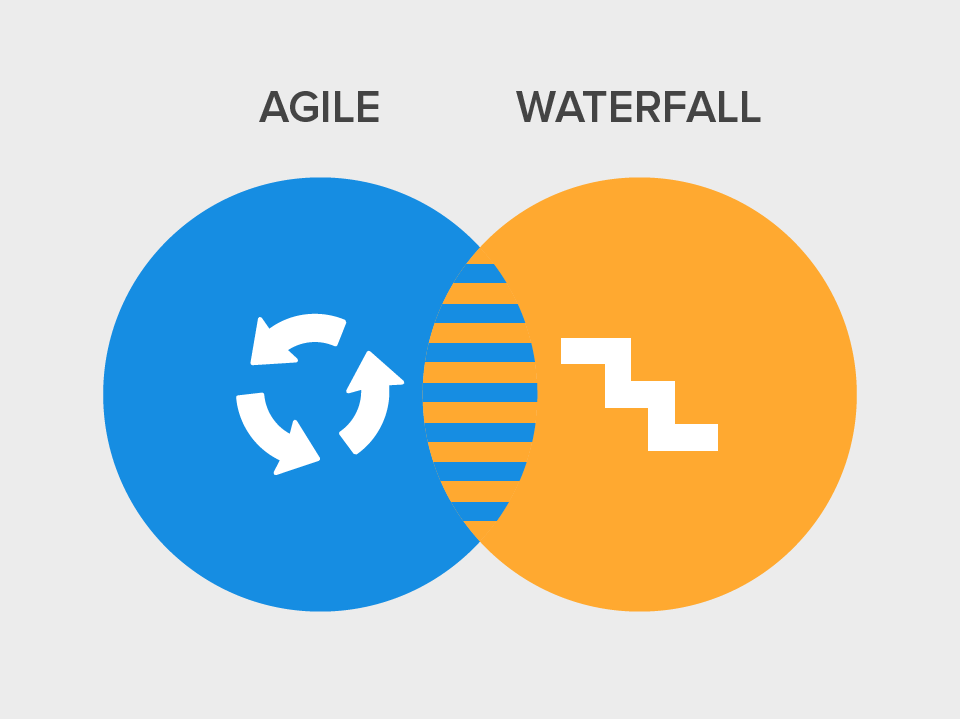
In software development, the two most popular methodologies are the “Waterfall” and “Agile techniques.

Waterfall is a linear methodology in which specific tasks, such as gathering documentation, creating a plan, coding, and testing, get separated into individual stages, each usually being given a timeframe for completion and typically preventing progress to the next stage before completion of the current one.

By contrast, Agile is a more collaborative methodology that places quick delivery as a key priority. Instead of individual stages, Agile employs “sprints” in which a set of tasks related to the project are defined and delivered within a set timescale. These tasks may involve every department working on the project concurrently, meaning it is entirely possible for some development to begin while planning for later development is underway. As such, Agile is often seen as a more flexible methodology than Waterfall and it lends itself more readily to iterative software development.

Of course, the key question is which methodology is right for your project. Each has pros and cons to consider before making a choice.

The Waterfall Methodology

As one of the oldest software development methodologies in use today, Waterfall has been refined well and typically includes periodic reviews of the work completed, usually upon conclusion of a stage. This method gives rise to both positives and negatives.

Choosing the right development methodology for a project plays a key role in the success of the project.

The Pros
•    Project progress is easily measurable as all involved understand the schedule and key deliverables in advance of the project’s start.
•    Alignment between clients and project developers occurs at the earliest stages of the development cycle. As such, clients can take a more hands-off approach as the project progresses by taking part in reviews and status updates without having to continually collaborate with developers.
•    The methodology allows for some flexibility. For example, testers can prepare relevant scripts while development is underway using the documentation created in earlier stages.
•    As design is generally a separate stage, Waterfall allows for the intricacies of complex projects to be properly planned out prior to the beginning of development.
    The risk of having to spend time tinkering with pieces of code to add it into the large project application is reduced as all stakeholders in the project are fully aware of the project’s demands and the technologies used in its creation from the offset.

The Cons
•    Waterfall, by its nature, requires project planners to gather specific details and documentation from the off, which can prove intimidating to clients who have little experience in software development. As such, the methodology raises challenges in terms of helping clients understand what they are actually getting and how the information provided helps the project reach its goals.
•    Changes in project requirements are often difficult to implement, particularly once development is underway, as the entire project is carefully planned based on the documentation and requirements gathered in the early phases.
•    As testing tends to occur as a single stage at the end of the development lifecycle, early bugs go undetected, potentially affecting later code to the point where they create large problems.
    Projects can end up being delayed if a particular stage is not completed within the expected timeframe, which prevents the next stage from proceeding.
•    Developers can often not go back to the previous stage if an issue is discovered when using the Waterfall methodology. In some cases, a single problem can cause the entire project to go back to the first stage.

The Agile Methodology

Though not as new a concept as some would have you believe, the Agile methodology is increasingly being seen as a replacement for the Waterfall method. However, it has pros and cons of its own.

The Pros
    Clients are engaged throughout the entire development lifecycle, offering a greater understanding of the work being delivered and allowing for faster decision-making where required. Further, this engagement allows clients to take greater ownership of the project, thus making them more invested in its success.
    The flexibility of Agile allows for changes in project requirements to be implemented more effectively, thus preventing these changes from holding up other aspects of the development cycle.
•    The iterative nature of Agile allows developers to create more basic versions of software that can be enhanced through later development work, thus allowing clients to begin marketing software earlier and provide it quicker, with later developments enhancing the product for the early user base while making it more attractive to latecomers over time.
•    The increased collaboration at the heart of Agile fosters transparency on the parts of both client and developer.
•    Testing is usually implemented into each Agile sprint, meaning bugs are spotted earlier and thus don’t cause problems later on.

The Cons
    Not all clients wish to engage in development processes as frequently as Agile requires, which can lead to frustration on the client’s part, resulting in dwindling interest as the project progresses.
•    Agile methodologies can sometimes be more difficult to explain than the Waterfall model, particularly when it comes to the concept of sprints and how the various traditional stages of development intermingle when using Agile.
•    Costs can spiral if certain requirements are not completed within their assigned sprints, with too many missed requirements leading to new sprints being created that delay the project. Further, increased client involvement can have the downside of creating constant changes that lead to higher costs.
    Poor project management and anything less than full commitment from all stakeholders can scupper Agile development, as disengagement leads to delays. For example, many projects employing Agile find they run into difficulty if the various teams involved in the project are not located within close proximity to one another, thus making the communication that lies at the core of the methodology more difficult.
    The focus on creating working software quickly can lead to poor documentation of what the end user actually needs to know to use it.

Which Should You Choose?

So now you know about the pros and cons of both development methodologies, you need to figure out which one you should choose.

As a general rule, Waterfall works best for projects that have clearly defined end goals in place that are very unlikely to change during development. Further, Waterfall works well in projects where speed of release is a secondary concern and is often ideal for working with clients who prefer to let the developers do their jobs without having to provide regular input.

Alternatively, Agile is ideal for projects where speed is of the essence and the client is not fully certain of the requirements, which will usually lead to changes being made as the development process goes on. A skilled and adaptable development team is a must and Agile is practically mandatory for industries that evolve quickly, such as streaming services, or when the client wishes to operate a subscription model in delivering the software to users.
July 25, 2017
Interactivated solutions blog banner

“Kharkiv Speakers’ Corner” how it was

We are living in a very fast paced technology world. In Interactivated, we attentively watch what is going on in the tech area. Last week I’ve attended “Kharkiv Speakers’ Corner” event. The only report was  “PHP Microservices. Technologies and frameworks” by Anastasia Sukhorukova. Speakers share her experience of combination Magento with Microservices architecture. Following topics were discussed:


  1. The reasons to use microservices architecture.

  2. Main steps introduction of microservices in your project.

  3. Requirements to microservices.

  4. Highly loaded Magento components.

  5. PHP microframeworks.

  6. Testing.

  7. Using Docker platform.

Summarize the report, I want to say following. Magento is a great tool, which we all love. But when it comes to huge enterprise projects, we have to step out of the standard solutions. Microservices architecture helps us to solve business requirements and in the same time improve stability, security and speed of development for our application. It also worth to mention, Docker becomes a standard in the web development world. If you still not using this platform, I strongly recommend to have a look in this direction.

July 24, 2017
Interactivated solutions blog banner

How to Speed Up the Development Process for a Mobile App

With consumers now spending upwards of five hours each day using their smartphones, it has never been more important for a business to have a mobile app. A quality app can engage smartphone users, leading to more sales and increased desire to interact with the business.

However, speed is of the essence in such a quickly evolving industry and it is far too easy for mobile app development to get bogged down with issues that can prevent the app’s release and potentially result in consumers choosing alternatives.

Thankfully, there are a few things that businesses and developers can do to speed up the mobile app development process.

Employ the Agile Methodology

Using the Agile methodology, a business can develop the basics of a mobile app with the aim of adding the extras that keep users engaged later on. This has led to the rise of the Minimal Viable Product (MVP) concept, through which businesses release apps that address the core needs of their consumers, thus giving them a reason to download the app while gaining feedback on additional features that can be implemented later in the development cycle through the Agile methodology. However, an app created with MVP in mind still needs to be functional. Half-finished features demonstrate a lack of effort on the part of the developer and disengage the user, achieving the opposite of what the MVP concept should aim towards.

Use Wireframes

With consumers now spending upwards of five hours each day using their smartphones, it has never been more important for a business to have a mobile app. With consumers now spending upwards of five hours each day using their smartphones, it has never been more important for a business to have a mobile app. A quality app can engage smartphone users, leading to more sales and increased desire to interact with the business. However, speed is of the essence in such a quickly evolving industry and it is far too easy for mobile app development to get bogged down with issues that can prevent the app’s release and potentially result in consumers choosing alternatives.

Instead of diving straight into the development process, create low-fidelity wireframes to establish the app’s layout and how users will navigate from one section to the next. Doing so helps developers identify navigation gaps and provides user-interface designers with more information regarding user flow through the app and how to optimize towards the needs of the app’s users. Without these early wireframes in place, you run the risk of hitting issues midway through the project, causing delays as the entire app is redesigned to account for the problem.

Keep it Simple

Mobile app development revolves around simplifying the design to allow for maximum access to useful content with as little clutter as possible. Complexity often leads to rejection by users, especially in cases where navigation bars and menus are a struggle to work through. Design with the aim of making app usage as simple as possible at all stages and you will save time that would otherwise be spent on boiling down complex designs to their core elements.

Leverage Outsourcing

In cases where your development team does not have the expertise required to create certain app features, for example, if the team is experienced in Android app development but needs to convert an app for Apple device users, leverage outsourcing. In such cases, the design and planning for the app will already be complete, allowing the outsourced company to focus on development and thus get the end product finished as quickly as possible. Beyond that, consider how you can use applets to complete the non-core functions relevant to the app, thus saving time on coding.

Consider Hybrid

Those looking to release apps across multiple platforms should also consider hybrid solutions, such as Adobe’s PhoneGap, which allows for the creation of a single set of code that can run across all required devices. Unfortunately, such solutions tend to lag behind native apps when it comes to animation quality and memory optimization, meaning the technique is best used by businesses that want to build an audience for the app as quickly as possible while simultaneously working on native apps to be released later for a better user experience.

Use Automation

Testing is a key area in mobile app development and often among the most time-consuming. Thankfully, there are ways to automate some aspects of the testing process, with various software available to help developers run tests simultaneously that would otherwise have been conducted individually. As is always the case, this use of automation should not go so far as to lessen the developers focus on the testing process. Instead, it should be used as a tool to speed things along while ensuring testing is still rigorous.

Achieving Quality Faster

Assuming your mobile app delivers what it promises, a lot of customers will forgive a few missing features and will be happy to wait for later iterations to incorporate them. As such, developers can leverage these expectations using the MVP concept to deliver their basic apps quickly, employing the Agile methodology to retain engagement over time.

The key to quick app development lies in keeping things simple. Create designs focused on providing users with a fast flow, use external tools and outsourced companies when you can, and utilize automation to your advantage wherever relevant.
July 20, 2017
Interactivated solutions blog banner

The Bitcoin Civil War – Rate Reductions A Possibility

Bitcoin experienced a remarkable increase over the course of 2016, rising by 250% against the United States dollar in a twelve-month period. The outlook was hopeful as we entered 2017. Unfortunately, what we’ve seen is constant fluctuation in the currency this year.

There’s a war raging around Bitcoin. This makes the future of the cryptocurrency uncertain. Some even feel that the issues surrounding Bitcoin could lead to the currency’s fall from grace.

The issue comes down to disagreements between the developers of Bitcoin. That’s the opinion of BitMex CEO Arthur Hayes, at least. He believes the current fluctuations demonstrate how uncertain the community behind Bitcoin is about the future of the currency. In particular, he points to the important date of August 1st, 2017, which is when several important decisions about the techniques behind Bitcoin must be made.

The Way Bitcoin Works

So what has caused the disagreements within the Bitcoin community? To figure that out, we first need to examine how the cryptocurrency currently works.

Bitcoin relies on something called the “blockchain”. This is a public registry that has no central location. It lists every single transaction made using Bitcoin. In doing so, it removes the need for third-party intervention in Bitcoin trading. This is why so many traders prefer using Bitcoin exchanges over more traditional exchanges.

The blockchain consists of a series of blocks. A new block gets created every ten minutes when a batch of transactions receive approval. This block then gets added to the existing blocks. The chain currently stands at about 475,000 blocks. Over 52,500 new blocks get generated each year.

Bitcoin experienced a remarkable increase over the course of 2016, rising by 250% against the United States dollar in a twelve-month period.

It gets more complicated from there. A lot of computational power goes into deciding which transactions receive approval. It’s essentially a big puzzle. Those who find the solution receive new Bitcoins, which is why so many people keep working away at the currency. However, the amount of total Bitcoin generated halves each year. This limits the total amount of the currency that will ever be generated to 21 million pieces. Right now, there are approximately 16 million Bitcoins circulating.

Almost 8,000 computers – each referred to as a “node” - run in tandem to keep the Bitcoin software up and running. This network also tracks transaction approvals and maintains the full register or blockchain. Having so many computers also offers a security benefit. Each node has a full log of Bitcoin transactions. If somebody tries to alter the log illegally on one node, the rest will pick up on it instantly. This ensures the integrity of the exchange.

The process begins anew every ten minutes. Each remaining transaction gets placed together with newer transactions and the ones that receive approval to get added to the next block in the blockchain.

The Big Issue

It’s pretty complicated. Still, the system has been in place for many years. Even so, there exists a lot of disagreement relating to the blocks that make up each transaction period. The “war” revolves around how many transactions can fit into a ten minute slot, especially now that Bitcoin has grown so extensively. The size of a single block stands at 1 MB. This allows for three transactions every second.

The growth of the cryptocurrency makes that seem inefficient to some. The point of contention is that the current network’s size does not match the amount of Bitcoin transactions. Many point to the fact that it can often take several days for them to receive payments for a transaction as evidence of this. Some, including programmer Mike Hearn, believe that the size of a block should increase. He suggested a size of 8 MB, which would allow 24 transactions per second.

That’s where the contention arises. Some argue that increasing the size of a block places the decentralized nature of Bitcoin at risk. Large blocks mean that each computer needs, even more, power to process transactions. This could exclude slower computers from the blockchain and make Bitcoin a more exclusive currency that it was intended to be.

The war of words has led to two possible solutions. The first is the use of what’s known as “Segregated Witness”. This would take away the cryptographic signature attached to each transaction, thus allowing for more transactions in a block. The technology is already a part of the Bitcoin network but has yet to become part of the Bitcoin protocol. For that, it needs the support of 80% of Bitcoin miners, according to the Digital Currency Group.

The second is more controversial as it relates to expanding the size of blocks. Some argue that the size of a block should increase to 2 MB within six months, thus doubling the number of transactions processed per second.

It’s a controversial issue that has no consensus approval, despite the debate raging for a number of years.

What Happens Next?

The most likely action is the increase of Bitcoin blocks to 2 MB. That’s an opinion that both Bloomberg and BitMex CEO Arthur Hayes share.

This would require all Bitcoin miners to switch to a new version of the cryptocurrency’s protocol. However, there is a chance that not everybody will make the switch. This would split the network and essentially create two different kinds of Bitcoin.

That possibility has caused a lot of unrest and has led to many, including Hayes, to speculate that we will see a lot of fluctuation in the value of Bitcoin until August 1st. It’s also possible that a lot of current Bitcoin investors may make the switch to Ethereum, the second most popular cryptocurrency.

Over the long term, these fluctuations should settle down. After all, there are investors who have millions, or even billions, of dollars tied into Bitcoin. The likelihood is that the collective decisions of these high-end investors will influence the decisions that all investors make in the coming months.

How Interactivated Can Help

Interactivated is increasingly active in the cryptocurrency sector and can help you with any concerns you have with trading or Bitcoin mining. Further, we have developed innovative trading bots that will help you understand the complexities of the blockchain. We may even release our own cryptocurrency in the future.

Whether you’re a business owner or individual trader, Interactivated can help you understand Bitcoin. Contact us today to discuss new cryptocurrency opportunities.
July 19, 2017
Interactivated solutions blog banner

How to Build an eCommerce Landing Page That Increases Conversions

So, you’ve got an eCommerce store and have a marketing plan in place. A combination of pay-per-click ads and organic search is pulling people towards your store. You can see the numbers of visitors rising but your sales aren’t improving.

The culprit is likely your site’s landing page. A poor landing page leads to visitors leaving the site. Consider it like a sales pitch: if you don’t meet the customer’s needs you aren’t going to make a sale.

What can you do to change the situation? How do you convert more visitors? When it comes to landing pages, the devil is often in the details.

Calls to Action

Let’s start simple. What do you want your visitor to do when he or she visits your landing page? Maybe you want to achieve a sale or the aim is to get the visitor to sign up to something, like a newsletter. Whatever the case may be, you need a strong call to action (CTA).

Make your CTA front and center on the landing page. A button often works as it shows the visitor what to click to continue the journey through your site. Draw the visitor’s eye to the CTA using visual elements and pay close attention to the text you use. Some visitors may respond well to demanding copy, such as “Shop Now”. Others may prefer something more subtle. Test different CTAs out and use analytics software to figure out how effective they are.

Go Visual

So, you’ve got an eCommerce store and have a marketing plan in place.

Trust is key in a product purchase. If your visitor can’t see the product you’re selling from the landing page, this trust disappears. The images you use don’t need to be flashy. Instead, focus on providing clear images that show your product as it is.

Place the product in a good light and customers will gravitate towards it. Showing the product in action can also have a strong effect. For example, if you sell glasses a picture of somebody wearing the product creates confidence in its quality.

Using Offers

There will always be a battle for webpage real estate between your offers and your CTA. Striking the right balance ensures the offer feeds into the CTA, rather than distracting from it.

Avoid intrusive offers that demand something from your visitors. Popups, in particular, distract from the visiting experience and lead to confusion. Instead, offer something that makes the visitor want to see more. Perhaps you can provide a 10 percent discount for a first purchase. Maybe you offer free shipping with certain purchases. Whatever the offer is, build it into the landing page so it funnels the visitor towards the CTA.

Stay Above the Fold

If your landing page visitor has to scroll to find important information you’ve already lost them. Place every important element of the page above the fold.

Your aim with this is to make navigation to the purchasing page simple. Every scroll slows the user down. Having to search for your CTA or offer does the same. Make things simple for the visitor and you will be rewarded with more conversions.

Keep the Page Simple

The idea of simplicity extends beyond keeping important info at the top of the page. You should also avoid offering information the consumer doesn’t need. Ask yourself if the customer really needs the navigation bar if your CTA handles that for them? Should you be talking about your company philosophy on a page designed to sell a product?

The answer is likely “no”. Trust that instinct and strip the page down to what it needs to be. Keep copy simple and ensure every element used serves a purpose. Don’t offer a lot of links to other areas of the site. Just make the purpose of the page as clear as possible to the visitor.

Use White Space

White space is not a waste for a landing page. You don’t need to fill it in just to make the page look more active than it is. In fact, filling the white space just distracts from the offer and CTA.

Consider white space as a design feature. With nothing else to look at, your visitor’s eye is drawn to the most important information on the page. Use this to your advantage and separate your images and CTA using white space.

Product Copy

Your landing page may feature products rather than an offer or form. If so, remember that visitors just want to give the product a quick once over. Bombarding them with in-depth information will lead to confusion.

Focus your copy on the product’s key features. What does it do? How does it help? What benefits does it offer over similar products? List them, pick the most important, and use that as the basis for your landing page copy. Apply the same philosophy to your page headline. If your headline doesn’t tell the visitor exactly what the product does, it is ineffective.

Feature Reviews

Over
three-quarters of people check reviews before making an online purchase. Visitors will trust your previous customers over the business itself, so highlight your positive feedback. A simple star system that offers an average score for the product does the job, assuming the score is high enough.

Don’t make the mistake of thinking that good reviews on other sites will help your landing page. You force visitors away from the page when they have to search for reviews. You also open up the possibility that they will find a store that offers a higher-rated product or service.

Consider All Screen Resolutions

The 1366×768 may be the most popular resolution now but 42 percent of people still use 1024x768. Some still use 800x600. How does your landing page display for people using lower resolutions? Does the CTA that is front and center on a 1366x768 screen require scrolling on an 800x600 screen? What about mobile devices?

These are all questions you need to answer. If your landing page doesn’t provide for everybody it misses out on a large segment of the audience. Test the page on different monitors to understand the differences between the display on your big, high-definition monitor and the less advanced models.

Going Social

Your visitor may not want the product on your landing page, however, they may know somebody who does. Building social buttons into the page makes it easier to share, helping the page pull in more visitors.

Don’t confuse your social buttons with your CTA. The aim is still to score a conversion with your landing page so keep the CTA as the prime focus. Just offer the social buttons as an option, preferably at the bottom of the page.

Final Thoughts

So, how do we sum all of this up? It’s pretty simple. Make clear the action you want the visitor to take and make it as easy as possible to take that action. Strip away the unneeded fluff and focus everything on your landing page towards your CTA.

If the page makes sense to the target audience it will improve your conversion rates. If you’re not sure, try new things out. Compare your results against what you achieved in the past and apply what you learn to your landing page design. Through analysis and correct implementation, you will build a stronger landing page for your target audience.
July 18, 2017
Person avatar
Person avatar
Person avatar
We're Ready When You Are

Our expert team is on standby - day or night - to talk timelines, budgets, and bring your idea from concept to launch - seamlessly. No stress, no delays.

Let's Figure This Out Together

Let’s Talk & Build Something Great.

Whether it’s a scalable SaaS platform, an innovative marketplace, a cutting-edge eCommerce solution, or another bold new tech idea, we bring the expertise to make it real - seamlessly and stress-free.No drama, no fluff - just damn good digital solutions.

Interactivated solutions contact person

Roy Van Eijsselsteijn

CEO | Head of Business Development

Write a message

By submitting this form, I agree to the processing of my personal data as described in the Privacy Policy.

This site is protected by reCAPTCHA, and the Google Privacy Policy and Terms of Service apply.