


When developing the Hyva compatibility modules with third-party modules of external developers (Amasty / Yireo / MagePlaza / EheadWorks, etc), it is often necessary to rewrite pieces of code that communicate with Magento2 Rest Api.

As we know, Magento2 uses the Session-based authentication approach. What does this mean?
The Magento web API framework uses your logged-in session information to verify your identity and authorize access to the requested resource.
Customers can access resources that are configured with anonymous or self permission in the webapi.xml configuration file. For more info you can check the official guide https://devdocs.magento.com/guides/v2.4/get-started/authentication/gs-authentication-session.html.
For example we have the so called webapi.xml file that defines the Customer service web API:
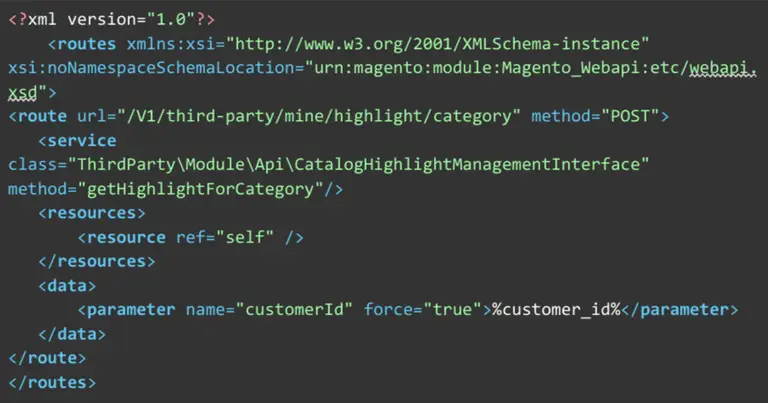
The attribute force="true" mean the customerId parameter is forced to match the ID of the currently logged in user and will use automatically from a customer session. You can read more about the Forcing Request Parameters in the article: https://devdocs.magento.com/guides/v2.3/extension-dev-guide/service-contracts/service-to-web-service.html#forced-parameters
So we have an example /V1/third-party/mine/highlight/category of an endpoint (third-party modules can have their own endpoints that require customer authorization). And we will start converting a frontend part of third-party module, which executes a request to an endpoint ():
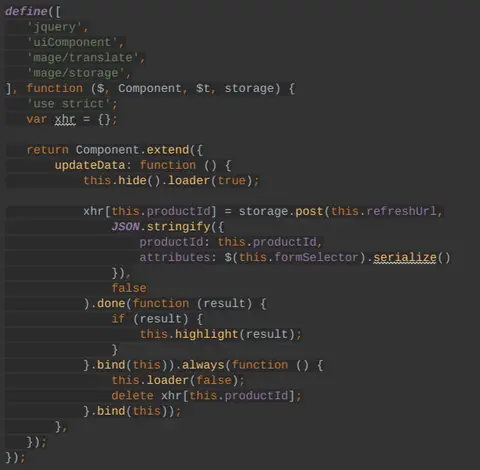
In Hyva terminology this part will be rewritten as in .phtml file:
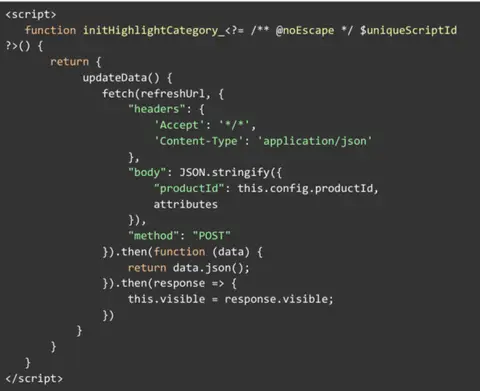
I skip unnecessary parameters that are not of interest, here it is important for us to see how we replace the storage.post on fetch method.
So I tried to execute this implementation and get this error message:
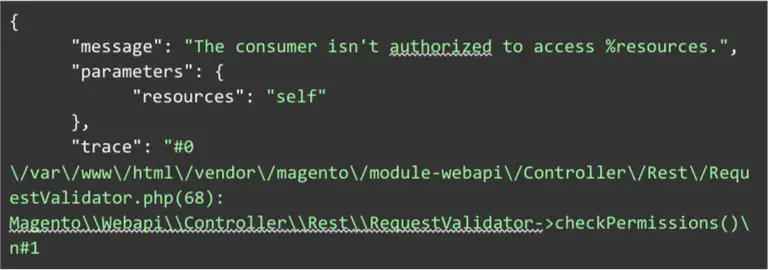
What does this mean? I found the answer here: https://magento.stackexchange.com/questions/181161/magento-2-session-based-authentication-doesnt-work
Searching for more information, it turned out that the fetch call works differently instead of jQuery.ajax() and not send the X-Requested-With header by default.
https://developer.mozilla.org/en-US/docs/Web/API/Fetch_API/Using_Fetch
The fetch specification differs from jQuery.ajax() in the following significant ways:
The Promise returned from fetch() won’t reject on HTTP error status even if the response is an HTTP 404 or 500. Instead, as soon as the server responds with headers, the Promise will resolve normally (with the ok property of the response set to false if the response isn’t in the range 200–299), and it will only reject on network failure or if anything prevented the request from completing.
fetch() won’t send cross-origin cookies unless you set the credentialsinit option. (Since April 2018. The spec changed the default credentials policy to same-origin. Firefox changed since 61.0b13.)
In order for everything to work for us, we need to add the X-Requested-With header like here:
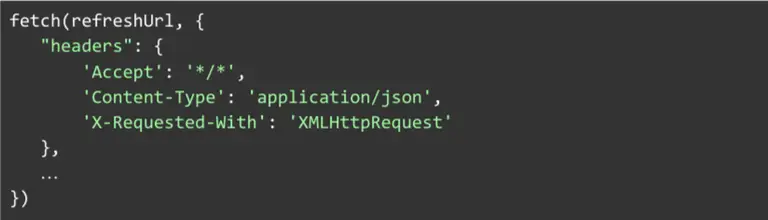
And now it works as we would like, we successfully pass authorization!


