
Virtual reality (VR) still occupies something of a niche status, both on the consumer and business levels. Statista reports that the VR industry, as a whole, had an installed user base of 25.82 million users in 2023, with its projections suggesting that’ll reach 34.03 million by the end of 2024.
The key takeaway here is simple – VR use is growing.
Over 14 million people will buy VR units in 2024 – up from 11.2 million in 2023 – and that larger user base breeds familiarity. With familiarity comes opportunity:
You can use VR in a project management setting.
The question is how? The answer comes from understanding the applications of VR in project management that are already in place, as well as the challenges you may face when trying to use this technology.
What Is Virtual Reality?
At the most basic level, VR allows you to create fully 3D computer-generated environments that are explorable for everybody in the VR world. Users need equipment to access these environments – including headsets and some method to control their virtual actions – and can interact with objects within the 3D world.
That definition leads to some misconceptions.
For instance, some see VR as a “gimmicky” technology that only has a real use in gaming. While it’s true that the tech is great for playing games, especially given the immersion levels, that misconception leads to a failure to see the true potential of VR:
When used well, it can offer massive training and project management opportunities.
Immersion is the key to these opportunities.
In a project management context, a VR world gives you an opportunity to simulate a project before you get into the nuts and bolts of real-world work. You can test ideas – interacting with the virtual world around you as you do – to figure out what works and what doesn’t. And, thanks to the rise of virtual workspaces like Meta, you can even use VR to bring remote teams together to simulate the office environment.
Examples of How to Use VR in Project Management
While all of the above may sound great, it may not mean much to you without some concrete examples. After all, it’s difficult to envision how you might be able to run a project with a pair of strange goggles strapped to your head.
So, you need to see some potential applications of VR in the project management context.
Example 1 – Augmented Reality Overlaying
Augmented reality (AR) is a complementary technology to VR. You could even think of it as VR-lite – where VR is about creating a fully realized “world,” AR involves overlaying digital elements onto a world. Perhaps the most recognizable example of this tech in action comes from Pokémon Go. Nintendo’s videogame took the world by storm in the mid-2010s by using AR to overlay Pokémon onto real-world environments – which the user could catch using their smartphone – and served as a great showcase for the technology.
That same overlaying idea can be useful in a project management context.
For instance, let’s say you work in city planning and have built a scale model of a construction project, either virtually or in the real world. In either case, AR can help – you can use overlays to share details about the project dynamically. In the VR environment, these overlays could provide project-specific details, such as materials used in the project or measurements, when a VR user looks at specific areas of the model.
On a practical level, this combination of AR and VR allows you to centralize key project information in a single place. You won’t need spreadsheets or supporting documentation because the details you require are built into the 3D VR environment.
Example 2 – Simulating On-Site Conditions
Sticking with the construction example, part of project management in that arena involves anticipating challenges that a workspace could present. Narrow entryways may cause issues with bringing equipment on site – for example – and there are constant safety concerns to manage when work is in progress.
VR allows you to simulate the worksite, essentially creating an interactive playground that’s ripe for experimentation. You can test safety protocols – with no risk to the VR user – and experiment with solutions for problems you’ve identified without worrying about the cost involved in actually trying something only to find it doesn’t work.
Example 3 – Planning Complicated Procedures
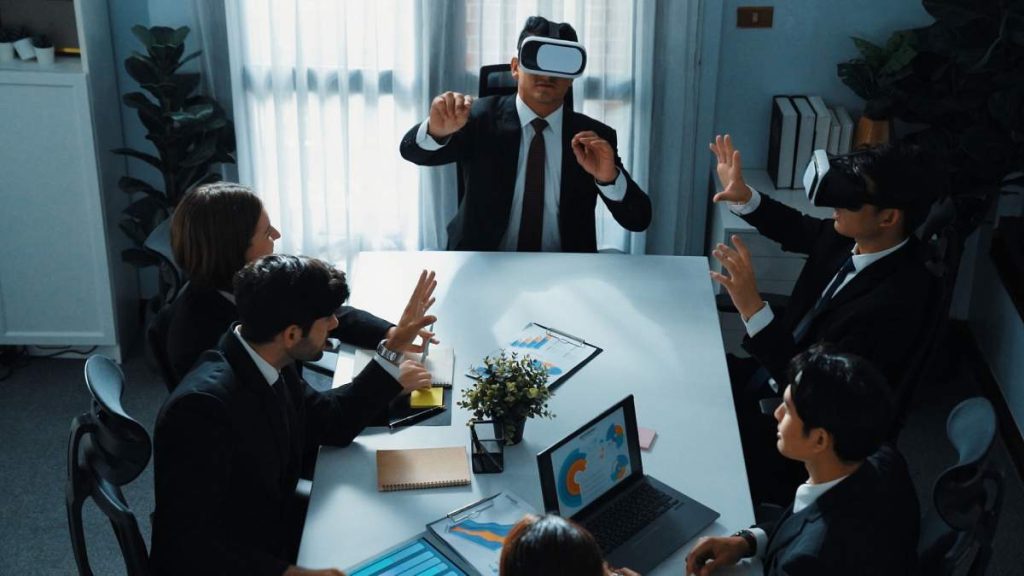
The more complicated a project becomes, the higher the possibility for something to go wrong. That’s particularly the case if the project involves an intensive, invasive procedure, as is the case with surgery.
While conducting surgery may not seem like a “traditional” project on the surface, it carries all of the hallmarks of one. A surgical team has to identify a problem, assign a solution, build a team, and complete “work” on a patient.
VR can help with all.
The assigned team can run through the surgery – thanks to a fully interactive simulation – and even use the VR setup to run drills on backup plans if something goes wrong on the operating table. In this sense, you see another key benefit of VR:
It can serve as a training tool as much as a project management one.
Challenges to Expect in the VR Landscape
The above examples provide some insight into how VR can be used in a project management context without appearing “gimmicky.” The training potential, combined with the ability to simulate real-world conditions for experimentation, helps prepare your team for their upcoming work. Plus, combining VR with AR allows you to turn a 3D environment into a central store for all key project information.
Still, using VR in project management isn’t without its challenges, including the following:
Challenge 1 – Equipment Familiarity
Though the number of VR users is increasing every year, the technology is far from being widespread enough to be considered “standard” in the workplace. A level of expertise is required to use it – both in terms of creating 3D environments and using headsets and controls to interact with that environment.
In other words, it’s not a pick-up-and-play technology.
To get the most out of VR in the project management setting, you must train your people on how to use the technology first. That comes with associated costs – both in the development of training simulations and the time required to train – that may be difficult to absorb for companies with tight margins.
Challenge 2 – Potential Health Risks
VR works by essentially tricking your brain into believing that you’re in a real environment. That can become problematic when you understand that this means your brain feels your body is “moving” through that environment even though the body is essentially stationary.
For some, this strange combination of sensations can create something akin to motion sickness.
Dubbed “virtual reality sickness” in some circles, this condition can lead to feelings of nausea, eyestrain, and headaches. It’s believed to affect between 40% and 70% of people who use VR for 15 minutes or more, creating limitations on how you use the technology in a project management context.
There are solutions to this challenge.
The most obvious is to limit time spent in the VR environment to 15 minutes or less – not ideal for long project-related meetings.
Another is a concept called “snap rotation.” Often seen in video games to overcome VR sickness, snap rotation results in the VR user’s view snapping into place when they turn their heads. The idea is that the smooth viewing VR offers as standard is the cause of the motion problems that result in VR sickness. By snapping the view into place, your VR solution sends signals to the user’s brain that they’re not actually in motion. Think of it as a built-in “break” in the simulation that allows for longer use.
Challenge 3 – GPU Limitations
Everything that you create in a VR world is limited by one thing – the graphical processing unit built into the PC associated with the VR device.
This limitation creates two challenges.
The first is financial:
You need to have computers that are capable of running simulations that are as visually complex as you need them to be for them to be useful. That costs money – a lot of it. Without it, your simulated world will be so graphically poor that it fails to emulate the real-world conditions you need. That may not be a problem for minor VR usage. But if you’re using VR to manage a complex project, such as surgery or building something, it can become problematic.
The second is that even the best computers can’t completely overcome these limitations, at least right now. VR headsets essentially place the demands of four monitors on a single GPU – with screen refreshes every 90 seconds – so any virtual environment you create has to be able to handle those technological demands.
Consider VR for Project Management
“Consider” is the keyword when it comes to using virtual reality technology in a project management environment.
VR is still a nascent technology that’s undergoing improvements with each hardware iteration. It’s at its best when used for complex projects that involve a lot of information, or projects in which you need to simulate real-world environments.
Whether those conditions apply to your company’s projects – or if they will in the future – is up to you. Furthermore, VR requires substantial investments, in equipment, time, and money, to use effectively. Again, you’ll need to weigh the potential benefits, such as easier sharing of information and better training of your team members, to determine viability in relation to costs.


